 Cliffbound
Help & support
Something not working, an idea, or a summit you are proud of? Email ahmeddevyfy@gmail.com and tell us your phone model.
How do I play?
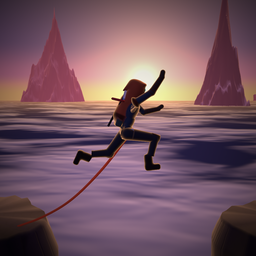
Drag anywhere on the screen to steer: the climber moves sideways exactly as far as your thumb does, on trails, cliff walls, ice caves and shafts alike. Tap (or flick up) to leap over fallen trees and crevasses, and to dyno across blank rock on a wall. With two thumbs, tap with the second while the first keeps steering. The first climb is a guided tutorial that teaches every move, step by step, up to the first summit; falls in it are free (you go back a few metres and try again). Replay it any time from Settings → Replay the tutorial.
What are the rings?
Rope anchors. Steer through one to clip your rope: the next time you fall or hit something, the rope catches you and you climb on. A rope only holds one fall, so clip the next ring to be safe again.
What is the score?
Your altitude in metres. Every summit unlocks a camp in the next world: you paraglide across, and from then on you can start your climbs from that camp (Home → Worlds). Each world has three stars: reach its summit, collect its crystals, and climb it without a fall.
What do crystals do?
Spend them on a second wind after a fall (the price rises within one climb) or to unlock new climbers. Missions and the daily climb pay bonus crystals.
What is the daily climb?
One mountain per day, the same for everyone. Climb it on consecutive days to grow your streak and your first-climb bonus. The Daily screen and your results show how many climbers took it that day and where you stand; that uses an anonymous count you can switch off in Settings → Daily climb stats.
Reminders
If you turn them on, Cliffbound sends at most one reminder a day, in the evening (around 9 pm, or a little before the time you usually climb): a new daily climb, a streak about to break, the summit you are closest to. Switch them off in Settings → Evening reminders or in your phone's notification settings. If they never arrive on Android, allow notifications for Cliffbound and turn off battery optimisation for it.
Can I see a world before I unlock it?
Yes: open Worlds and tap any world for a preview of what waits there and how to unlock it.
The game feels slow on my phone
Open Settings → Graphics and choose Saver. The game also lowers its resolution automatically on slower phones. Closing other apps helps too.
There is no sound or vibration
Check Settings → Sound / Vibration, your phone's media volume and silent mode. On iPhone, haptics follow the system haptics setting.
Will I lose my progress?
Progress is saved on your device after every climb. Uninstalling the app or clearing its data removes it. There are no accounts, so progress cannot move between devices.
Does it cost anything?
No. There are no ads and no in-app purchases.